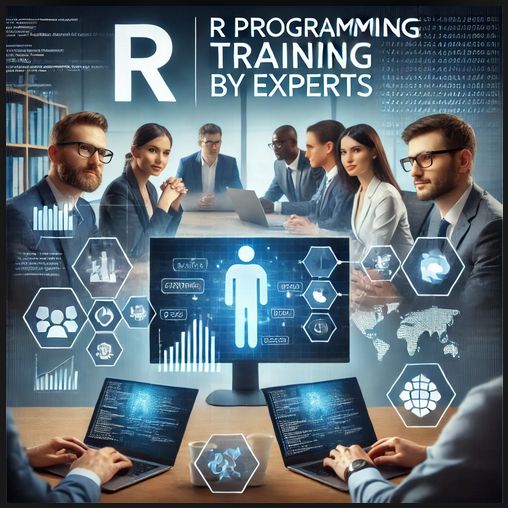
R Programming Training

R Programming

R Programming Training With Data Science

Master Data Analysis and Visualization with Our R Programming Course

Unlock the potential of R, the powerful language for statistical computing and data visualization. Whether you're a beginner looking to break into the world of data science or a professional aiming to expand your skillset, our R Programming Course is your gateway to mastering data analysis.


Course Highlights

  • Mode of Learning: Live Online Interactive Sessions
  • Instructors: Industry Experts with Proven Expertise in R Programming
  • Fee: Affordable Pricing With Easy Instalment options.
  • Certification: Receive a recognized certification upon completion
  • Free Trial Class: Evaluate the course before enrolling
  • Placement Assistance: Comprehensive support for job seekers
  • Internship: Work on real-time projects to gain practical experience
  • Syllabus

    THE ART OF R PROGRAMMING
      INTRODUCTION
      • Why Use R for Your Statistical Work?
      • Object-Oriented Programming
      • Functional Programming?
      • Functional Programming?
      INSTALLING R
      • Downloading R from CRAN
      • Installing from Source
      GETTING STARTED
        How to Run R
        • Interactive Mode
        • Batch Mode
      First R Session
        Introduction to Functions
        • Variable Scope
        • Default Arguments
        Preview of Some Important R Data Structures
        • Vectors, the R
        • Character Strings
        • Matrices
        • Lists
        • Arrays
        • Data Frames
        VECTORS
          Scalars, Vectors, Arrays, and Matrices
          • Adding and Deleting Vector Elements
          • Obtaining the Length of a Vector
          • Matrices and Arrays as Vectors
          Declarations
          Common Vector Operations
          • Vector Arithmetic and Logical Operations
          • Vector Indexing
          • Generating Useful Vectors with the : Operator
          • Generating Vector Sequences with seq()
          • Repeating Vector Constants with rep
          Vectorized Operations
          • Vector In, Vector Out
          • Vector In, Matrix Out
          NA and NULL Values
          • Using NA
          • Using NULL
          Filtering
          • Generating Filtering Indices
          • Filtering with the subset() Function
          • The Selection Function which
          A Vectorized if-then-else: The ifelse() Function
          • Extended Example: A Measure of Association
          • Extended Example: Recoding an Abalone Data Set
          Testing Vector Equality
          Vector Element Names
          More on c()
        MATRICES AND ARRAYS
          Creating Matrices
          • General Matrix Operations
          • Performing Linear Algebra Operations on Matrices
          • Matrix Indexing
          • Filtering on Matrices
          Applying Functions to Matrix Rows and Columns
          • Using the apply() Function
          • Extended Example: Finding Outliers
          • Adding and Deleting Matrix Rows and Columns
          • Changing the Size of a Matrix
          More on the Vector/Matrix Distinction
          Avoiding Unintended Dimension Reduction
          Naming Matrix Rows and Columns
          Higher-Dimensional Arrays
        LISTS
          Creating Lists
          General List Operations
          • List Indexing
          • Adding and Deleting List Elements
          • Getting the Size of a List
          Accessing List Components and Values
          Applying Functions to Lists
          • Using the lapply() and sapply() Functions
        ARRAYS
        • Naming Columns and Rows
        • Accessing Array Elements
        • Check if an Item Exists
        • Amount of Rows and Columns
        • Array Length
        • Manipulating Array Elements
        • Calculations Across Array Elements
        DATA FRAMES
          Creating Data Frames
          • Accessing Data Frames
          Other Matrix-Like Operations
          • Extracting Subdata Frames
          • More on Treatment of NA Values
          • Using the rbind() and cbind() Functions and Alternatives .
          • Applying apply()
          Merging Data Frames
          • Extended Example: An Employee Database
          Applying Functions to Data Frames
          • Using lapply() and sapply() on Data Frames
        FACTORS AND TABLES
          Factors and Levels
          Common Functions Used with Factors
          • The tapply() Function
          • The split() Function
          • The by() Function
          Working with Tables
          • Matrix/Array-Like Operations on Tables
          • Extended Example: Extracting a
          Other Factor- and Table-Related Functions
          • The aggregate() Function
          • The cut() Function
        R PROGRAMMING STRUCTURES
          Control Statements
          • Loops
          • Looping Over Non vector Sets
          • if-else
          Arithmetic and Boolean Operators and Values
          Default Values for Arguments
          Return Values
          • Deciding Whether to Explicitly Call return()
          • Returning Complex Objects
          Functions Are Objects
          Environment and Scope Issues
          The Top-Level Environment
          • The Scope Hierarchy
          • More on ls()
          • Functions Have (Almost) No Side Effects
          No Pointers in R
          Writing Upstairs
          • Writing to Nonlocals with the Super assignment Operator
          • Writing to Nonlocals with assign()
          When Should You Use Global Variables?
          Replacement Functions
          • What’s Considered a Replacement Function?
          Tools for Composing Function Code
          • Text Editors and Integrated Development Environments
          The edit() Function
          Writing Your Own Binary Operations
          Anonymous Functions
        DOING MATH AND SIMULATIONS IN R
          Math Functions
          • Extended Example
          • Cumulative Sums and Products
          • Minima and Maxima
          Functions for Statistical Distributions
          Sorting
          Linear Algebra Operations on Vectors and Matrices
          • Extended Example: Vector Cross Product
          • Set Operations
          Simulation Programming in R
          • Built-In Random Variate Generators
          • Obtaining the Same Random Stream in Repeated Runs
        INPUT/OUTPUT
          Accessing the Keyboard and Monitor
          • Using the scan() Function
          • Using the readline() Function
          • Printing to the Screen
          Reading and Writing Files
          • Reading a Data Frame or Matrix from a File
          • Reading Text Files
          • Introduction to Connections
          • Extended Example
          • Accessing Files on Remote Machines via URLs
          • Writing to a File
          • Getting File and Directory Information
        STRING MANIPULATION
          An Overview of String-Manipulation Functions
          • grep()
          • nchar()
          • paste()
          • sprintf()
          • substr
          • strsplit()
          • regexpr()
          Regular Expressions
          • Extended Example
        R DATA INTERFACES
          R - CSV Files
          • Reading a CSV File
          • Analyzing the CSV File
          • Writing into a CSV File
          R - Excel Files
          • Install xlsx Package
          • Reading the Excel File
          R - Binary Files
          • Writing the Binary File
          • Reading the Binary File
          R - XML Files
          • Reading XML File
          • XML to Data Frame
          R - JSON Files
          • Install rjson Package
          • Read the JSON File
          • Convert JSON to a Data Frame
          R - Database
          • RMySQL Package
          • Connecting R to MySql
          • Querying the Tables
          • Query with Filter Clause
          • Updating Rows in the Tables
          • Inserting Data into the Tables
          • Creating Tables in MySql
          • Dropping Tables in MySql
        GRAPHICS
          Creating Graphs
          • The Workhorse of R Base Graphics: The plot() Function
          • R - Pie Charts
          • R - Bar Charts
          • R - Boxplots
          • R - Histograms
          • R - Line Graphs
          • R - Scatterplots
          • Starting a New Graph While Keeping the Old Ones
          • Extended Example
          • Adding Points: The points() Function
          • Adding a Legend: The legend() Function
          • Adding Text: The text() Function
          • Pinpointing Locations: The locator() Function
          • Restoring a Plot
          • Customizing Graphs
          • Changing Character Sizes: The cex
          • Changing the Range of Axes: The xlim and ylim Options
          • Graphing Explicit Functions
          • Extended Example
          Saving Graphs to Files
          • R Graphics Devices
          • Saving the Displayed Graph
          • Closing an R Graphics Device
          Creating Three-Dimensional Plots
        R Statistics
          R Statistics Intro
          R Data Set
          R Max and Min
          R Mean Median Mode
          R Percentiles
        INSTALLING AND USING PACKAGES
          Package Basics
          Loading a Package from Your Hard Drive
          Downloading a Package from the Web
          Installing Packages Automatically
          Installing Packages Manually
          Listing the Functions in a Package


    Meet a Few of our Industry Experts in Kochi 🚀 Your Pathway to IT Career

    Contact Name: Koteswara

    Mobile: +91 91884 77559
    Location: Kochi
    Qualification & Skills: B.Tech, Python Django HTML5 CSS Angular Rasa I have 1 5 years experience as a Software Engineer During that time I worked on various projects Application for Angular JS  more..

    Contact Name: Mudit

    Mobile: +91 83010 10866
    Location: Kochi
    Qualification & Skills: bachelor degree, Unity 3D C # VR Game Design Game Development  more..

    Contact Name: Khushal

    Mobile: +91 94975 90866
    Location: Kochi
    Qualification & Skills: B.tech, Python javascript Typescript Rust  more..

    Contact Name: TEJA

    Mobile: +91 83010 10866
    Location: Kochi
    Qualification & Skills: MCA, Java Manual Testing Automation Testing Agile Jira Html Css  more..

    Contact Name: Smitha

    Mobile: +91 94975 90866
    Location: Kochi
    Qualification & Skills: MSc. PGDHM, • Healthcare Operations Management • Staff Training and Development • Financial Management & Budgeting • Healthcare Compliance & Regulation • Patient Care Quality Improvement • Process Optimization & Efficiency •  more..

    Contact Name: Rabin

    Mobile: +91 91884 77559
    Location: Kochi
    Qualification & Skills: BCA, Flutter Freezed bloc provider sqflite hive zoho jira   more..

    Contact Name: Laukik

    Mobile: +91 91884 77559
    Location: Kochi
    Qualification & Skills: Btech in CSE, Skilled IoT and Embedded Systems Developer with hands-on experience in C C++ and Embedded C Proficient in microcontroller programming using ESP32 ESP8266 Arduino and Raspberry Pi Experienced in sensor integration  more..

    Contact Name: Anandu

    Mobile: +91 83010 10866
    Location: Kochi
    Qualification & Skills: Bachelors, Previous Role: Worked at NT Global Solutions Pvt Ltd Cochin Kerala Domain Expertise: Travel domain (notably worked on DTC Customer App & DTC Partner App for Dubai Taxi Corporation) Total  more..

    Contact Name: Raju

    Mobile: +91 94975 90866
    Location: Kochi
    Qualification & Skills: MCA, Node js Express js React MongoDB  more..

    Contact Name: Akhil

    Mobile: +91 91884 77559
    Location: Kochi
    Qualification & Skills: MBA, SAP-MM S4 HANA MS-Excel Python Power BI   more..

    Contact Name: MuniyappanK

    Mobile: +91 83010 10866
    Location: Kochi
    Qualification & Skills: B.E Computer Science and Engineering, Javascript Angular Nodejs HTML CSS  more..

    Contact Name: Sagar

    Mobile: +91 83010 10866
    Location: Kochi
    Qualification & Skills: B.sc, Penitration testing VAPT Ethical Hacking Bug Hunting  more..
    Contact Name: Vaideesh

    Mobile: +91 91884 77559
    Location: Kochi
    Qualification & Skills: B.E, Skills: Programming Languages: SQL PL SQL Java and XML • Oracle Tools & Technologies: Oracle E-Business Suite (EBS) Oracle Forms Oracle Report Builder XML Publisher • Development Tools: Oracle SQL  more..

    Contact Name: Deep

    Mobile: +91 94975 90866
    Location: Kochi
    Qualification & Skills: bachelor, Machine learning Data science AI Python NLP DEEP LEARNING DATA STRUCTURE ALGORITHMS SQL API  more..

    Contact Name: Agyeya

    Mobile: +91 98474 90866
    Location: Kochi
    Qualification & Skills: B.Tech, Dart Flutter node Sql jira python firebase mongodb 2 year old experience   more..

    Contact Name: Arbaz

    Mobile: +91 98474 90866
    Location: Kochi
    Qualification & Skills: MCA, 2 5 as Laravel Developer |   more..

    Contact Name: GAURANG

    Mobile: +91 83010 10866
    Location: Kochi
    Qualification & Skills: Bachelor of engineering, Experienced in deploying AI solutions using OpenAI Hugging Face LangChain and Python-based ML frameworks   more..

    Contact Name: Sakshi

    Mobile: +91 83010 10866
    Location: Kochi
    Qualification & Skills: BTech, I am a fresher currently searching for job to kickstart my career and gain experience in an organization I am proficient in skills such as Manual Testing SQL HTML and  more..

    Contact Name: Linkan

    Mobile: +91 98474 90866
    Location: Kochi
    Qualification & Skills: M.E, Manual testing Automation Testing API Testing SQL  more..

    Contact Name: Manoj

    Mobile: +91 91884 77559
    Location: Kochi
    Qualification & Skills: B tech, Wordpress HTML JAVA SCRIPT CSS  more..

    Contact Name: Sudeeksha

    Mobile: +91 83010 10866
    Location: Kochi
    Qualification & Skills: Btech, Front-end Python Dbms Bootstrap Javascript Studying btech 3rd year No experience  more..

    Contact Name: Ridhhi

    Mobile: +91 98474 90866
    Location: Kochi
    Qualification & Skills: BCA, Node js React Js Mongo db My sql AWS  more..

    Contact Name: Monisha

    Mobile: +91 83010 10866
    Location: Kochi
    Qualification & Skills: BE, I’m a versatile full-stack developer skilled in frontend (HTML CSS JavaScript React Angular) and backend (PHP SQL Django NET) I have strong expertise in Python Java and database management Experienced  more..

    Contact Name: Shubham

    Mobile: +91 98474 90866
    Location: Kochi
    Qualification & Skills: MCA, Skills Python Django Rest Drf Sql  more..

    Contact Name: Ujwal

    Mobile: +91 94975 90866
    Location: Kochi
    Qualification & Skills: Bachelor of engineering in computer science, Networking Coding with java and python VMware VCF products Esxi vsphere and vcentre nsxt  more..

    Contact Name: Jigil

    Mobile: +91 98474 90866
    Location: Kochi
    Qualification & Skills: BTech Computer Science, Graphic designing Branding Ui Ux design Typography Web Design Wordpress Development  more..

    Contact Name: Vishal

    Mobile: +91 83010 10866
    Location: Kochi
    Qualification & Skills: Bachelor of Science in Information Technology, Hi Myself Vishal Kadam Currently working as a network Engineer in Digital track solution Pvt Ltd providing onsite technical support to client kotak Mahindra Bank resolving application related issues taking  more..
    Contact Name: Chinnu

    Mobile: +91 91884 77559
    Location: Kochi
    Qualification & Skills: B.Tech, Qualified B-Tech Engineer with experience of 7+ years in Android Application Development using Core Java Kotlin and Flutter   more..

    Contact Name: MUHAMMED

    Mobile: +91 94975 90866
    Location: Kochi
    Qualification & Skills: B.tech, •Chat Gpt Prompt Expert -Created 100+ video Script In different niches --Created Android App Ebook using chatgpt •N8N - Ai Automation -Made Binance bitcoin Buying & Selling bot • Claude  more..

    Contact Name: Rama

    Mobile: +91 94975 90866
    Location: Kochi
    Qualification & Skills: B tech undergraduate, Skills: Languages: C++ Python SQL R Technologies: Data Structures & Algorithms Reinforcement Learning Deep Learning Generative AI Operating Systems Object-Oriented Programming Tools: TensorFlow PyTorch TensorBoard TensorFlow Serving Keras LLMs Scikit-learn  more..